
2.0 KiB
2.0 KiB
Graph Settings Tab
Description
The Graph Settings tab on the Graph Inspector makes it possible to change settings that affect the Shader Graph as a whole.
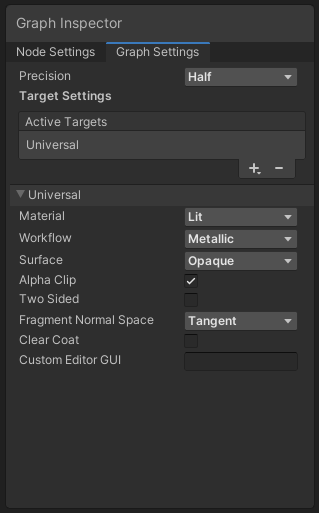
Graph Settings options
| Menu Item | Description |
|---|---|
| Precision | Select Single or Half from the Precision dropdown menu as the graph's default Precision Mode for the entire graph. |
| Preview Mode | Select your preferred preview mode for a node that has a preview from the following options:
|
| Active Targets | A list that contains selected targets. You can add or remove Active Targets by selecting the Add (+) and Remove (−) buttons, respectively. Shader Graph supports three targets:
|