
883 B
883 B
Text Alignment
Each text object has an overall alignment, but you can override this with <align> tags. All horizontal alignment options are available except for Geometry Center.
Normally you put these tags at the start of a paragraph. Successive alignment scopes don't stack. If you put multiple alignment tags on the same line, the last one overrides the others.
The closing </align> tag reverts back to the object's overall alignment.
Example:
<align="left"><b>Left-aligned</b>

<align="center"><b>Center-aligned</b>

<align="right"><b>Right-aligned</b>

<align="justified"><b>Justified:</b> stretched to fill the display area (except for the last line)

<align="flush"><b>Flush:</b> stretched to fill the display area (including the last line)
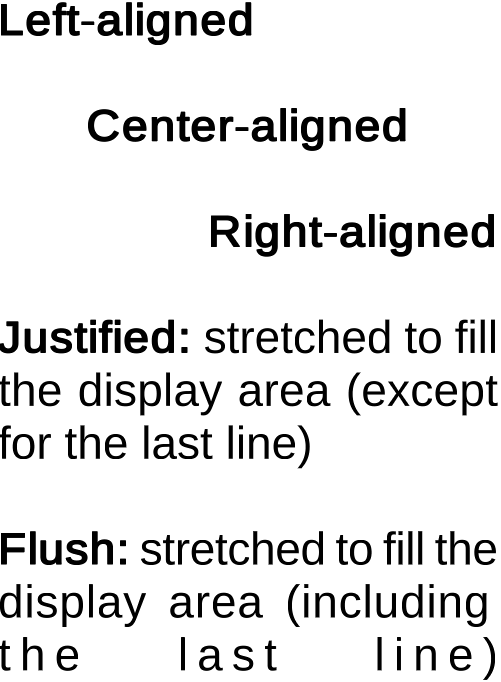
Text Alignment